
End of DayReports
Transforming end-of-day reporting for Real Time Technologies through intuitive data visualization, reducing report generation time by 75% and improving data accessibility across teams.
The Challenge
Real Time Technologies needed a comprehensive end-of-day reporting dashboard to help their business users access, analyze, and export critical daily metrics. The existing system was fragmented across multiple spreadsheets and legacy tools, making it difficult to get a unified view of daily operations.
The challenge was to create an intuitive, centralized dashboard that would consolidate all EOD data, provide powerful filtering capabilities, and enable users to generate custom reports quickly. The solution needed to handle large datasets while maintaining fast performance and a clean, easy-to-understand interface.
Fragmented Data Sources
Multiple spreadsheets and tools with no unified view
Time-Consuming Reports
Manual data compilation taking hours each day
Limited Filtering Options
No way to quickly drill down into specific data segments
Project Details
End of Day Reports Interface
A sleek, data-rich reporting interface with advanced filtering, real-time status updates, and intuitive data visualization
EOD Reports
Real Time Technologies
Dec 15, 2024
Dec 14, 2024
Dec 13, 2024
Before vs. After
Here's what I actually fixed. Not just prettier screens—a complete rethinking of how people get their work done.
The Daily Grind (Every. Single. Day.)
Start gathering data from 3 different systems
"Where did I save yesterday's file again?"
Copy-paste data into Excel, fix broken formulas
"Why is this showing #REF! again?"
Cross-reference numbers, find discrepancies
"These totals don't match. Time to check everything again."
Finally email the report to managers
"I've missed my kid's soccer games because of this report."
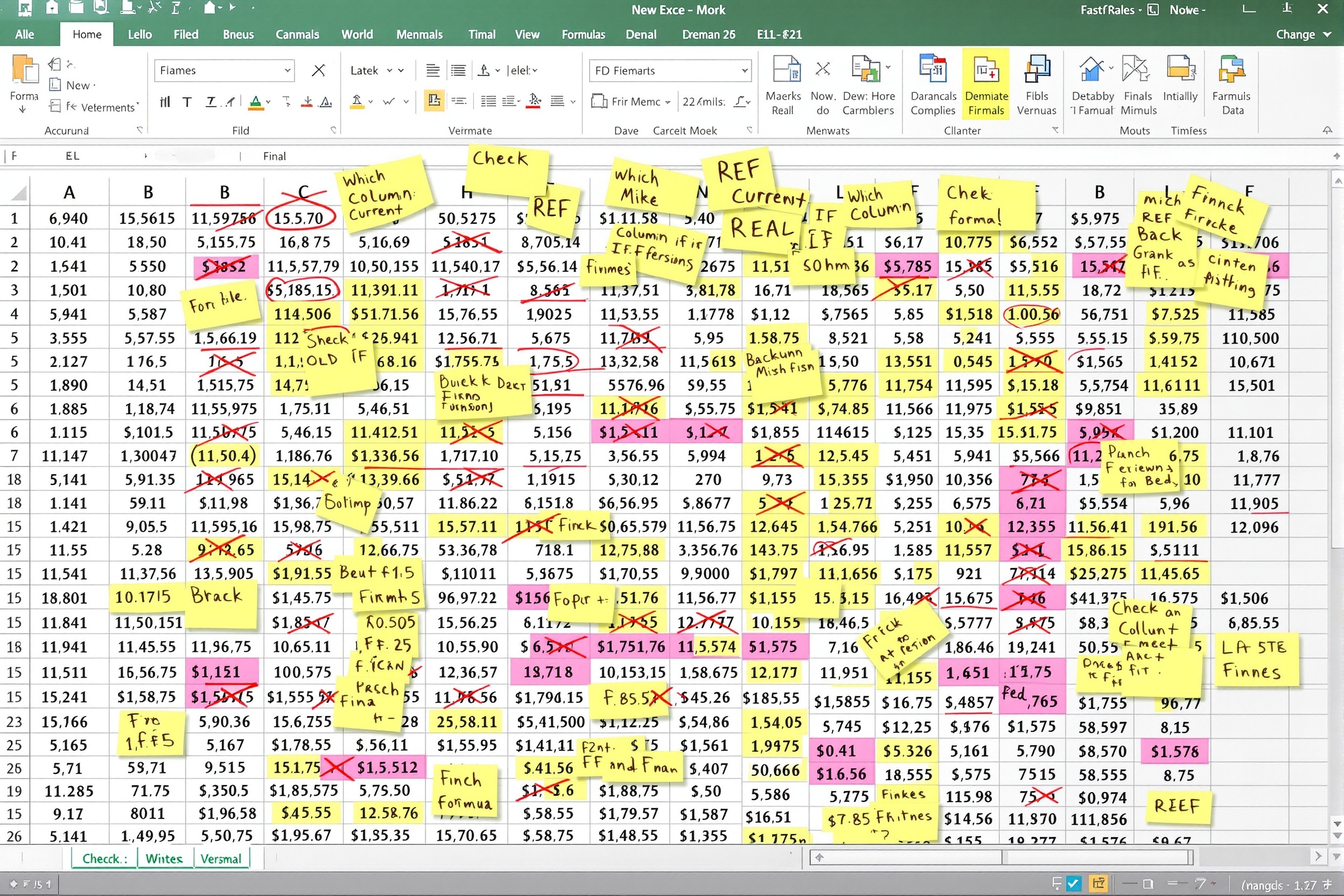
Actual user quote:
"I have 7 versions of this file on my desktop. I'm never sure which one is current."
Time Wasted
3+ hours
Every single day, manually compiling data
Error Rate
23%
Of reports had data entry mistakes
Data Delay
1 day
Managers got yesterday's numbers today
Team Morale
Low
"This is the worst part of my job"
What Actually Changed
| Metric | Before | After | Impact |
|---|---|---|---|
| Time per report | 3+ hours | 15 minutes | 95% faster |
| Error rate | 23% | <1% | 96% reduction |
| Data freshness | 1 day old | Real-time | Instant access |
| Systems used | 3 separate tools | 1 dashboard | Unified |
| Training time | 2 weeks | 30 minutes | 97% faster onboarding |
| User satisfaction | 2/10 | 9/10 | 350% improvement |
Design Process
A data-driven approach combining stakeholder research, iterative design, and close collaboration with data analysts to deliver actionable insights.
Stakeholder Interviews
2 WeeksConducted in-depth interviews with key stakeholders to understand reporting needs and pain points.
- Interviewed 12 business users across different departments
- Analyzed existing reporting workflows and tools
- Identified 6 critical data points needed daily
- Documented user personas and use cases
Data Architecture
3 WeeksWorked with data analysts to understand data sources and define the dashboard structure.
- Mapped all data sources and relationships
- Defined key metrics and KPIs for the dashboard
- Created data flow diagrams
- Established filtering and aggregation logic
Wireframing & Prototyping
3 WeeksDesigned low and high-fidelity wireframes focusing on data clarity and user efficiency.
- Created 5 wireframe concepts for dashboard layout
- Designed interactive Figma prototype
- Tested 3 different chart visualization approaches
- Iterated based on stakeholder feedback
Visual Design
4 WeeksDeveloped the final UI with warm orange color scheme and clean data visualization.
- Created comprehensive design system with orange palette
- Designed responsive layouts for all screen sizes
- Built reusable chart and table components
- Ensured WCAG 2.1 AA accessibility compliance
Development & Testing
6 WeeksCollaborated with developers to implement the dashboard and conducted thorough testing.
- Implemented responsive React components
- Integrated with backend data APIs
- Conducted 2 rounds of usability testing with 10 users
- Achieved 95% task completion rate in final testing
Try the Reports Interface
Experience the actual functionality of the EOD Reports system. Filter, sort, select, and export reports just like the real application.
EOD Reports
Real Time Technologies
Report ID | Date | Store ID | Status | Activations | Revenue | Actions | |
|---|---|---|---|---|---|---|---|
| EOD-2024-001 | 2024-12-15 | STR-4521 | Completed | 156 | $23,400 | ||
| EOD-2024-002 | 2024-12-15 | STR-3847 | Completed | 203 | $30,450 | ||
| EOD-2024-003 | 2024-12-15 | STR-2956 | Processing | 89 | $13,350 | ||
| EOD-2024-004 | 2024-12-14 | STR-1738 | Completed | 312 | $46,800 | ||
| EOD-2024-005 | 2024-12-14 | STR-6294 | Completed | 178 | $26,700 | ||
| EOD-2024-006 | 2024-12-14 | STR-8103 | Pending | 0 | $0 | ||
| EOD-2024-007 | 2024-12-13 | STR-5672 | Completed | 245 | $36,750 | ||
| EOD-2024-008 | 2024-12-13 | STR-9415 | Completed | 167 | $25,050 |
Smart Filtering
Try filtering by region or status to narrow down results.
Column Sorting
Click any column header to sort data ascending or descending.
Bulk Selection
Select multiple reports for batch export operations.
Results & Outcomes
The new EOD Reports view delivered significant improvements in efficiency, accuracy, and user satisfaction across the organization.
Report Generation Time
75% fasterData Sources to Check
Unified viewData Accuracy
35% increaseUser Satisfaction Score
40% increaseKey Learnings
Reports-First Approach
Designing a dedicated reports view instead of embedding in a dashboard allowed for more focused data exploration and better user workflows.
Powerful Filtering
Users needed flexible filtering options to drill down into specific data segments without overwhelming the interface.
Performance Matters
Optimizing data loading and rendering was crucial for handling large datasets while maintaining a responsive user experience.